> For the complete documentation index, see [llms.txt](https://docs.getlimy.ai/llms.txt). Markdown versions of documentation pages are available by appending `.md` to page URLs; this page is available as [Markdown](https://docs.getlimy.ai/limy-pixel/cdn-integration/amazon-cloudfront.md).
# Amazon CloudFront
### Overview
This integration uses Amazon Data Firehose to deliver CloudFront logs directly to our Agent Monitor. Amazon Data Firehose (formerly Kinesis Data Firehose) is a fully managed AWS service for loading streaming data into a variety of destinations, including HTTP endpoints.
For additional details, refer to the[ AWS documentation](https://docs.aws.amazon.com/AmazonCloudFront/latest/DeveloperGuide/real-time-logs.html).
### Setup
{% stepper %}
{% step %}
Log into your AWS Console and head over to the Amazon Data Firehose section. This is where we'll create the pipeline that sends you to Limy.
{% endstep %}
{% step %}
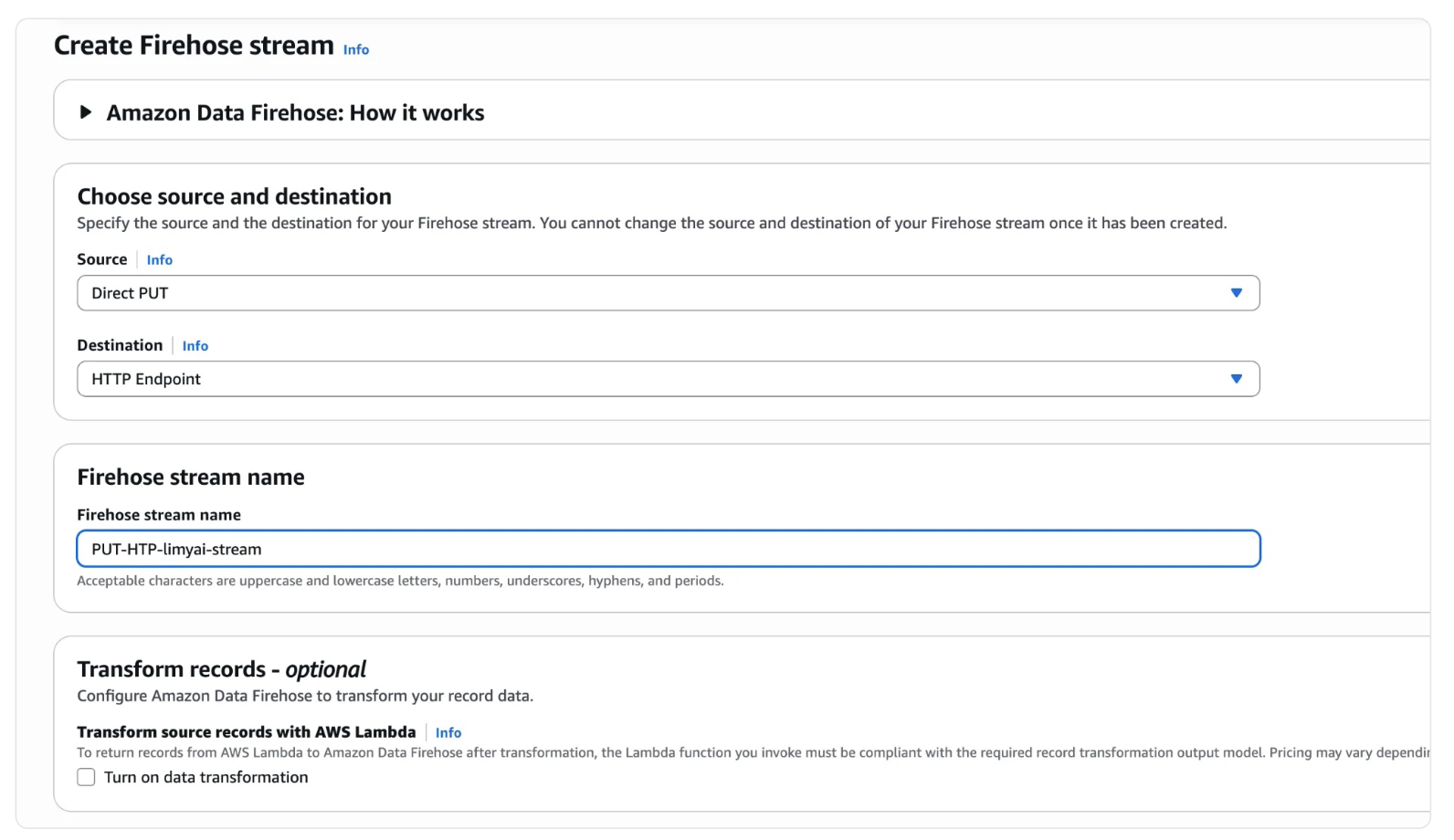
Click to create a new delivery stream and configure it with these settings:
* **Source:** Choose "Direct PUT"
* **Destination:** Select "HTTP Endpoint"\
These settings tell Data Firehose to accept data directly and send it to an HTTP endpoint (which will be Limy's API).
* **Content encoding:** Choose "Disabled"
{% endstep %}
{% step %}
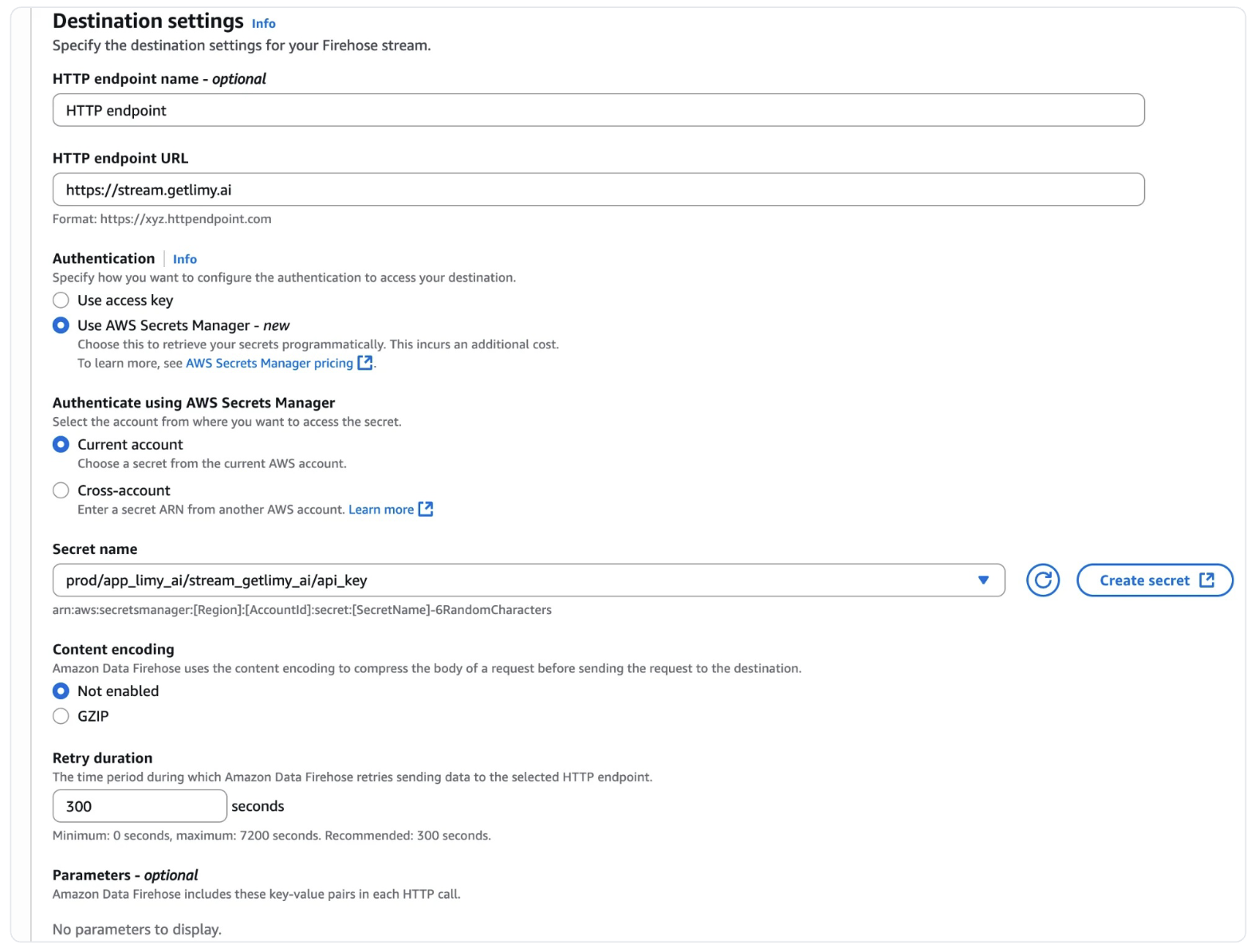
Now for the important part - connecting to Limy:
```
https://stream.getlimy.ai
```
**Authentication:** You'll need to provide your Limy key as the access key. We strongly recommend using AWS Secrets Manager to store this securely.
Create a secret in AWS Secrets Manager with this JSON structure:
```json
{ "api_key": "your_limy_api_key" }
```
{% hint style="warning" %}
I**mportant Settings:**\
**Backup S3 Bucket:**\
AWS requires you to specify an S3 bucket for failed deliveries. Create a new bucket or select an existing one - this is just for error cases.
{% endhint %}
{% endstep %}
{% step %}
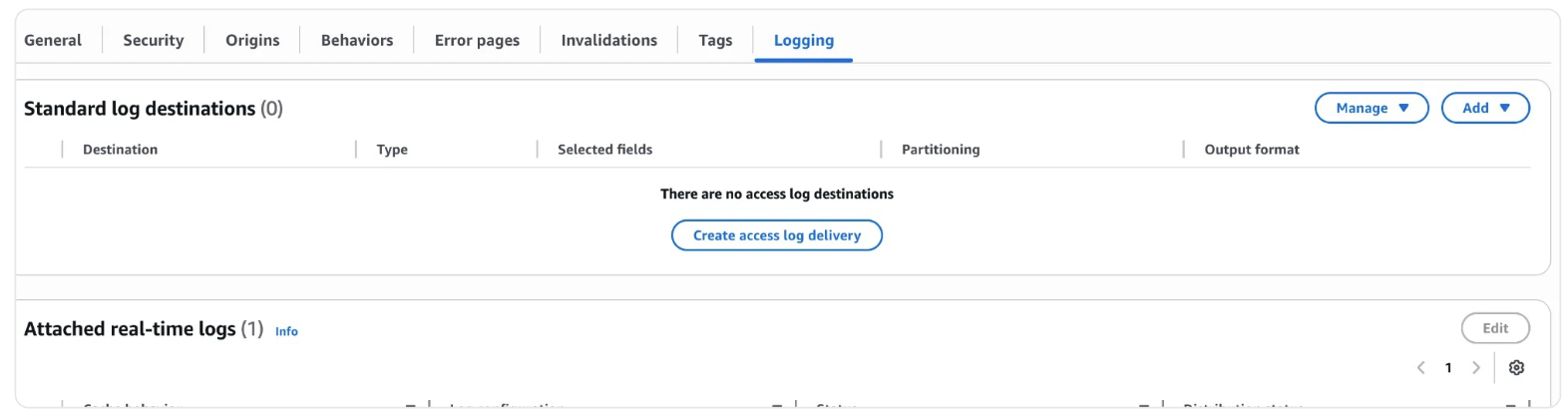
Navigate to your CloudFront distribution in the AWS Console and click over to the "Logging" tab. Hit the "Add" button and choose "Kinesis Data Firehose" as your destination.
{% hint style="warning" %}
**Note:**
You might see it called "Kinesis Data Firehose" in CloudFront even though AWS renamed it to Amazon Data Firehose - they're the same thing.
{% endhint %}
{% endstep %}
{% step %}
You'll be on the "Add standard logging destination" screen now. Pick the delivery stream you just created, then scroll down to "Additional settings - optional" and select these fields:
{% endstep %}
{% step %}
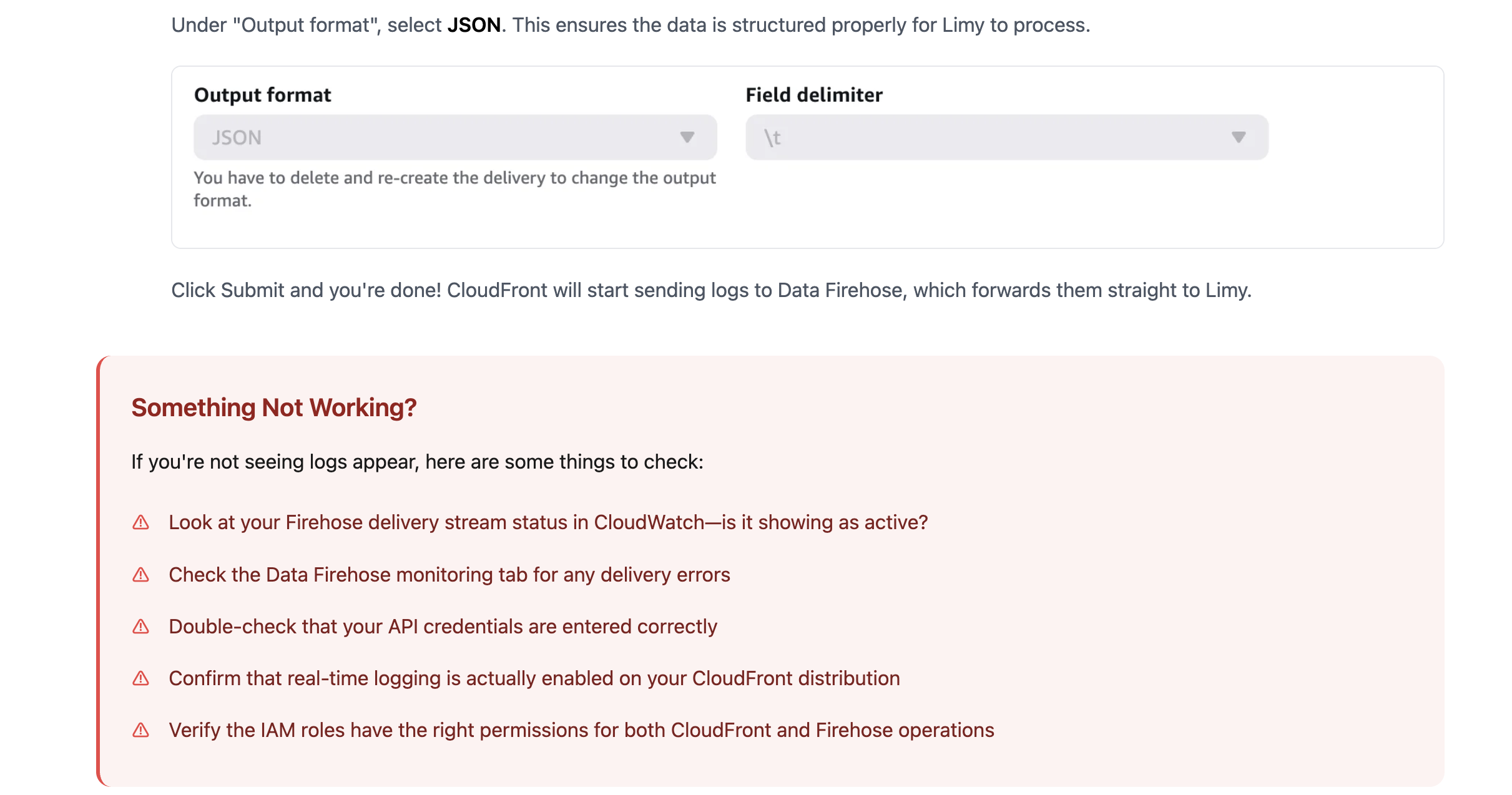
Under "Output format", select **JSON**. This ensures the data is structured properly for Limy to process.
{% endstep %}
{% step %}
### Add the `LogDeliveryEnabled = true` Tag
In order to enable the log delivery, the Kinesis firehose must have this tag included.
{% endstep %}
{% endstepper %}
### Need More Help?
* Contact `answers@limy.ai` for any further questions

.png?alt=media&token=9611668c-b570-4156-a25c-03133b14cc27)
.png?alt=media&token=5e790079-48d5-4790-8ebc-c4f428b14e53)
.png?alt=media&token=3a95db31-b8e5-4eaa-bd6b-7dc410c36a7c)
.png?alt=media&token=da078f71-04d0-4c62-b94b-10e55ec58689)